Every tool you need to find your food triggers.
Log meals and symptoms, run elimination diets, uncover patterns, and bring a doctor-ready report to your next appointment. Built for people with food sensitivities — by someone who has one.
 Free to download · Premium features available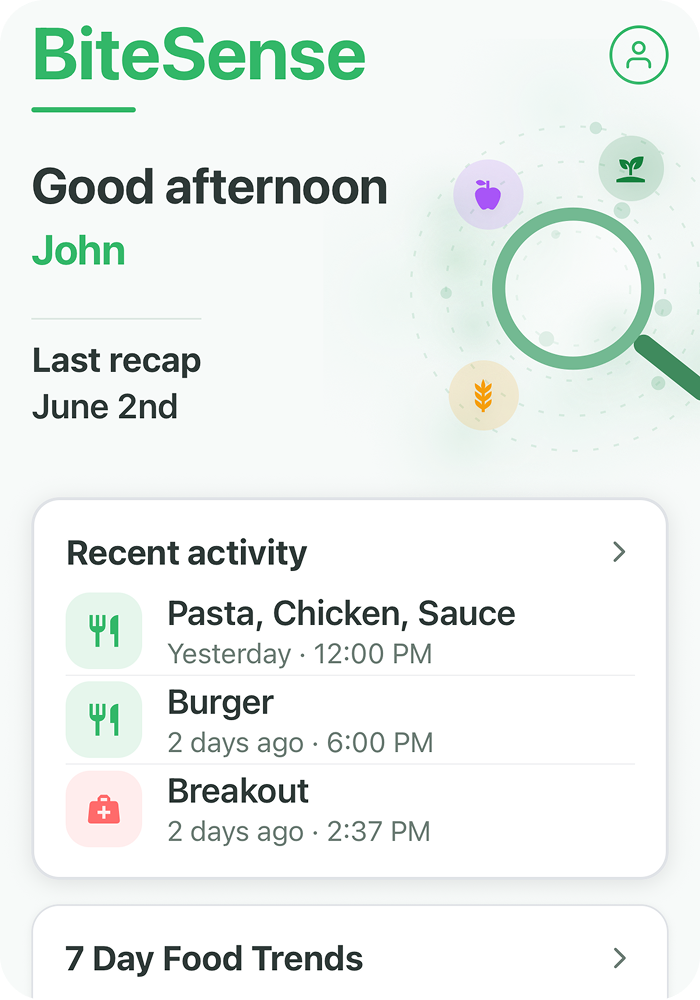
Tell BiteSense what happened.
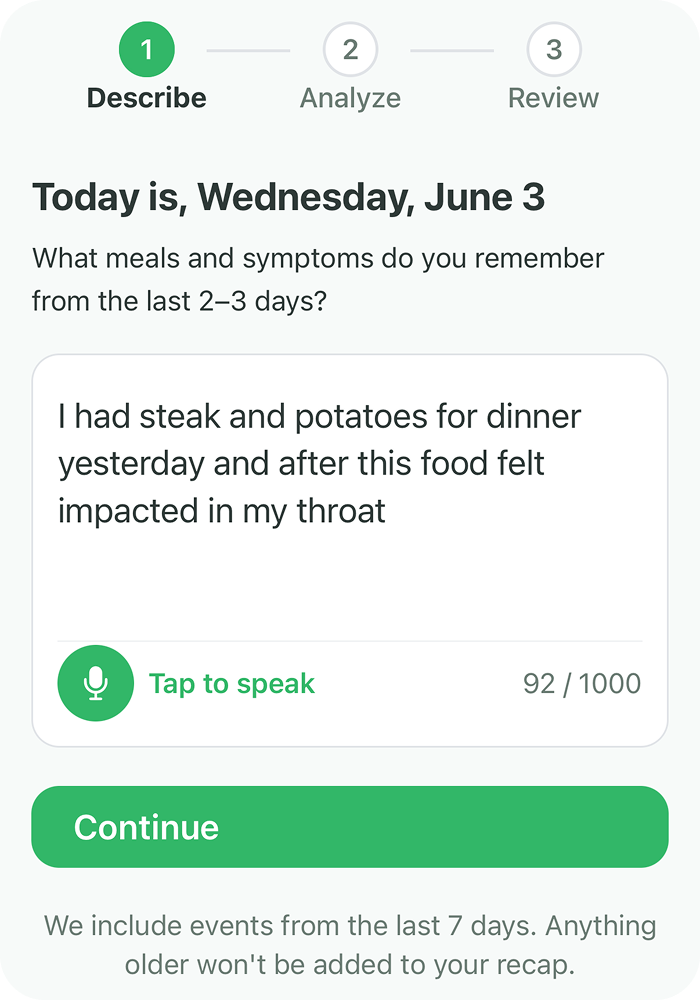
The simplest way to log is to describe what you ate and how you felt in plain language. BiteSense handles the extraction. For users who prefer more control, traditional log forms are also available.
Tell BiteSense
Log by describing what happened
Type or speak what you ate and how you felt — in your own words. BiteSense extracts your meals, symptoms, and timing automatically. It then shows you everything it found so you can confirm before saving.
No database searching required
There is no food database to scroll through. No item-by-item form to fill out. You describe the meal, and BiteSense builds the log. The more you use it, the more accurate your history becomes.
Traditional log forms
Full manual control when you want it
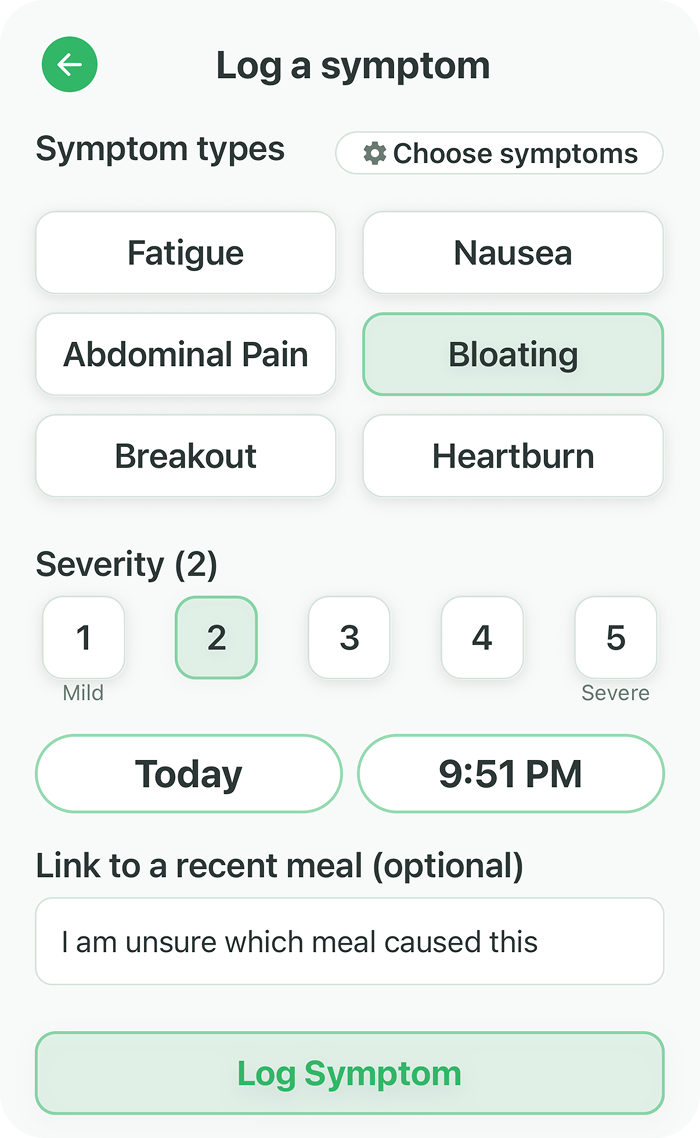
BiteSense also includes traditional meal and symptom log forms. Add foods one by one, set the exact time, adjust the details, and link symptoms directly to a specific meal.
Both methods feed the same analysis
Whether you use Tell BiteSense or the manual forms, your data feeds into the same pattern detection. The method you use does not affect the quality of your insights.
See what your data is telling you.
The Insights screen turns your logged history into clear, observable patterns. Every result is based entirely on your own data — nothing is assumed, estimated, or recommended.
Trigger Finder
Foods and food groups ranked by how consistently they appear before your symptoms. Pattern strength is calculated from your full logged history — not assumptions.
Friendly Foods
Foods you consistently tolerate well, based on your history. These are observed patterns — not recommendations. Knowing what is safe is just as valuable as knowing what is not.
Patterns Found
Deeper detection that surfaces co-occurrences — food groups that frequently appear together when symptoms follow. Connections that a single meal view would never reveal.
Symptom Timing
Symptoms grouped across four windows — morning, afternoon, evening, and night — so you can see when reactions most commonly occur throughout your day.
Most Logged Symptoms
A breakdown of your most frequently logged symptoms. Gives you a clear picture of which reactions occur most often across your full history.
Adjustable Settings
Change the lookback period to focus on recent data or longer trends. Adjust the reaction window to match how quickly your body typically responds to trigger foods.
Test a food. See if your symptoms change.
Elimination diets are one of the most reliable ways to identify food triggers. BiteSense makes them trackable — with before and after data that shows whether removing a food is actually making a difference.
Elimination Diet Tracking
Remove a food and watch what happens
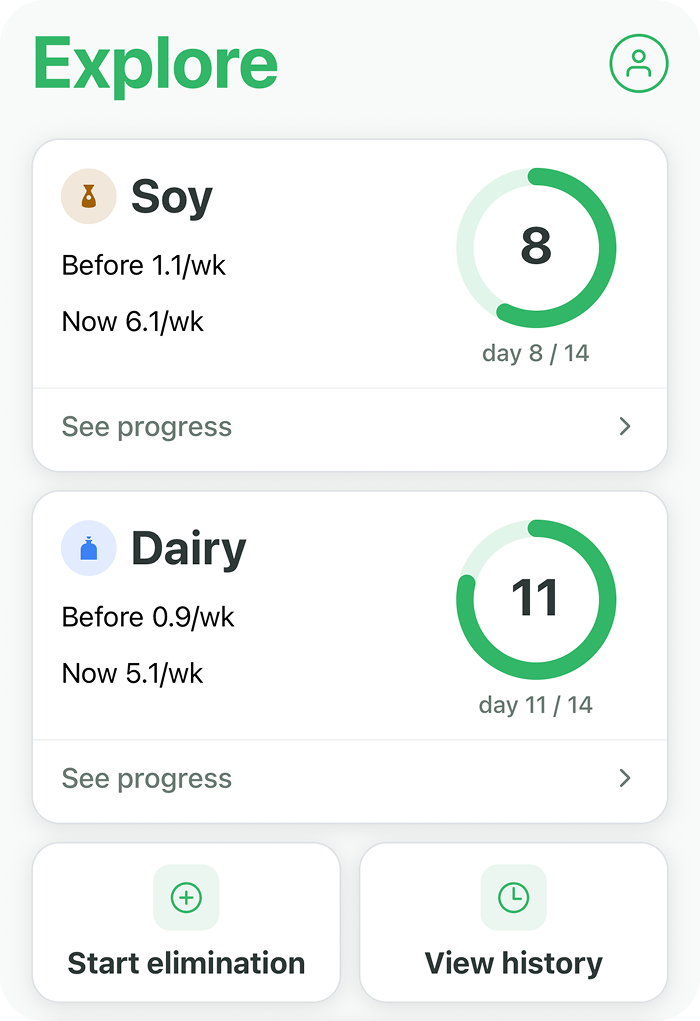
Remove a suspected food and BiteSense tracks whether your symptoms change. Before and after symptom frequency appears from day one — no waiting until the end to see results.
Run multiple eliminations at once
Each elimination is tracked independently with its own progress ring and comparison data. Run as many as you need at the same time.
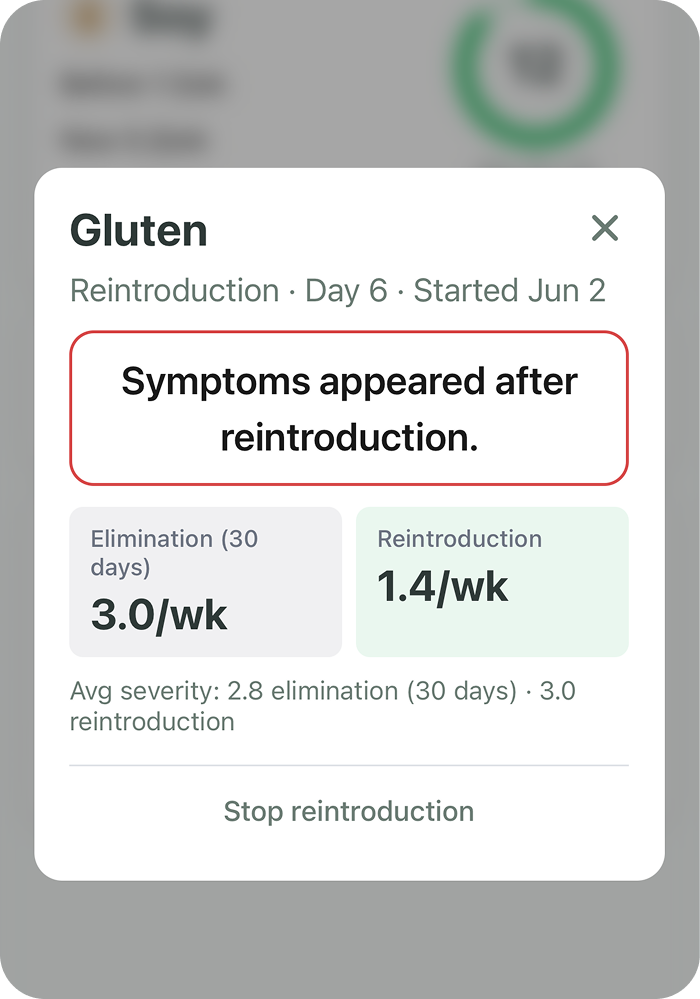
Reintroduction Tracking
Confirm whether a food is actually a trigger
When you reintroduce a food, BiteSense tracks what happens. Symptom frequency during reintroduction is compared to your elimination baseline — so you can see clearly whether symptoms return.
Close the loop on every elimination
Reintroduction is where the answer becomes clear. It is the most reliable read on whether a specific food is contributing to your reactions.
Bring your data to your doctor.
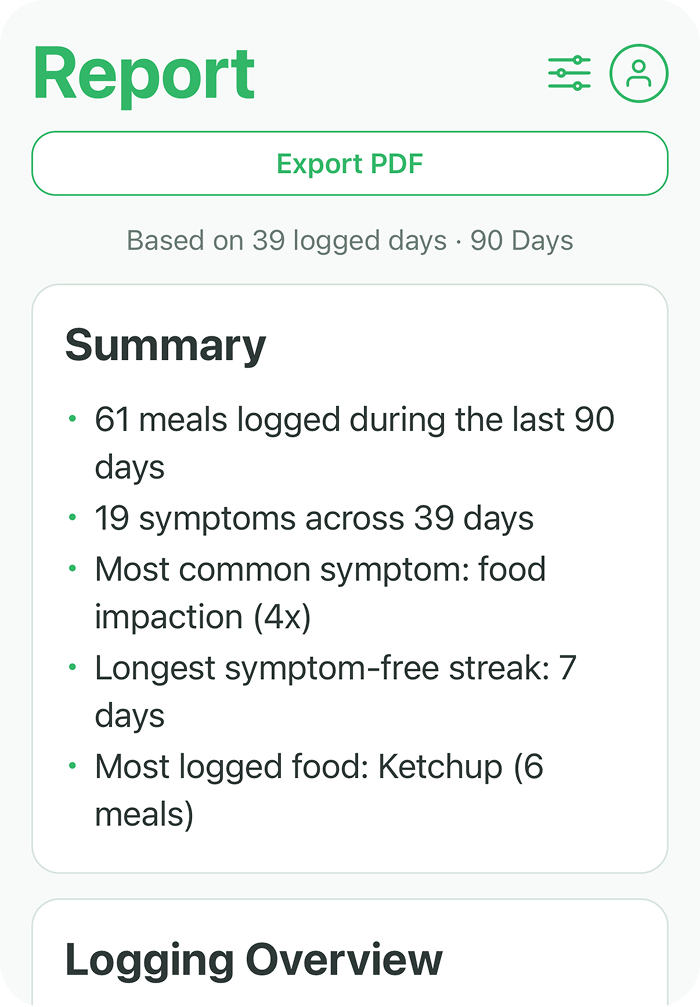
The Report screen gives you a full summary of your logged history. Export it as a PDF and share it with your gastroenterologist, allergist, or GP before your next appointment.
Health Summary Report
Everything your doctor needs in one view
Your report includes total meals and symptoms logged, your most common symptoms, your longest symptom-free streak, your most logged foods, and a full logging overview.
Adjustable lookback period
Focus on the last 30, 60, or 90 days depending on what your appointment calls for. Export as a PDF in one tap.
How BiteSense thinks.
BiteSense is not a basic food diary. There is a layered system underneath every insight — designed to handle the complexity of delayed food reactions that manual tracking cannot catch.
What makes this different from a basic food log
Food Classification
Every food is passed through AI that identifies which traits it contains — gluten, dairy, red meat, nightshades, and more. A hamburger is not just a hamburger. BiteSense sees the gluten, the dairy, and the red meat inside it.
Three-Layer Analysis
Analysis goes Meal to Food to Trait. When a symptom appears after a meal, BiteSense evaluates every trait in every food in that meal. This is how ingredient-level patterns get identified — not just dish-level guesses.
Weighted Algorithm
The Trigger Finder uses a weighted calculation — not a simple count. It factors in timing, severity, reaction window, and your condition. A severe reaction four hours after a meal is weighted differently from a mild one twelve hours later.
Condition-Aware Math
The algorithm adjusts based on your condition. EoE, IBS, Celiac, and GERD have different typical reaction windows and symptom patterns. BiteSense accounts for this when calculating your insights.
BiteSense is a wellness tracking tool. All insights are observational patterns from your own logged data — not medical diagnoses. Always consult your doctor for medical decisions.
Free to start. Unlock everything when you’re ready.
Download and start logging for free. Upgrade to Premium to access the full power of your data — Trigger Finder, Friendly Foods, elimination tracking, and more.
Get started
- ✓Tell BiteSense natural language logging (limited runs)
- ✓Traditional meal and symptom log forms
- ✓Home screen with recent activity
- ✓7 Day Food Trends
- ✓Calendar view
Full access
- ✓Everything in Free
- ✓Trigger Finder
- ✓Friendly Foods
- ✓Patterns Found
- ✓Symptom Timing
- ✓Most Logged Symptoms
- ✓Elimination Diet Tracking
- ✓Reintroduction Tracking
- ✓Health Summary Report and PDF export
- ✓Adjustable lookback period and reaction window
Start finding your triggers today.
Free to download on iPhone. Built for EoE, IBS, Celiac, GERD, and anyone living with unexplained food reactions.
Available on iPhone · Free to download · Premium subscription available