BiteSense features
What can you do with BiteSense?
You can log meals, physical symptoms, a daily check-in, water and sleep, then see the patterns in your own logs. Premium can also fill in your sleep from Apple Health. BiteSense is a food and symptom diary for iOS that helps you spot which foods, sleep and water habits line up with your symptoms.
Log meal, free
How do you log a meal in BiteSense?
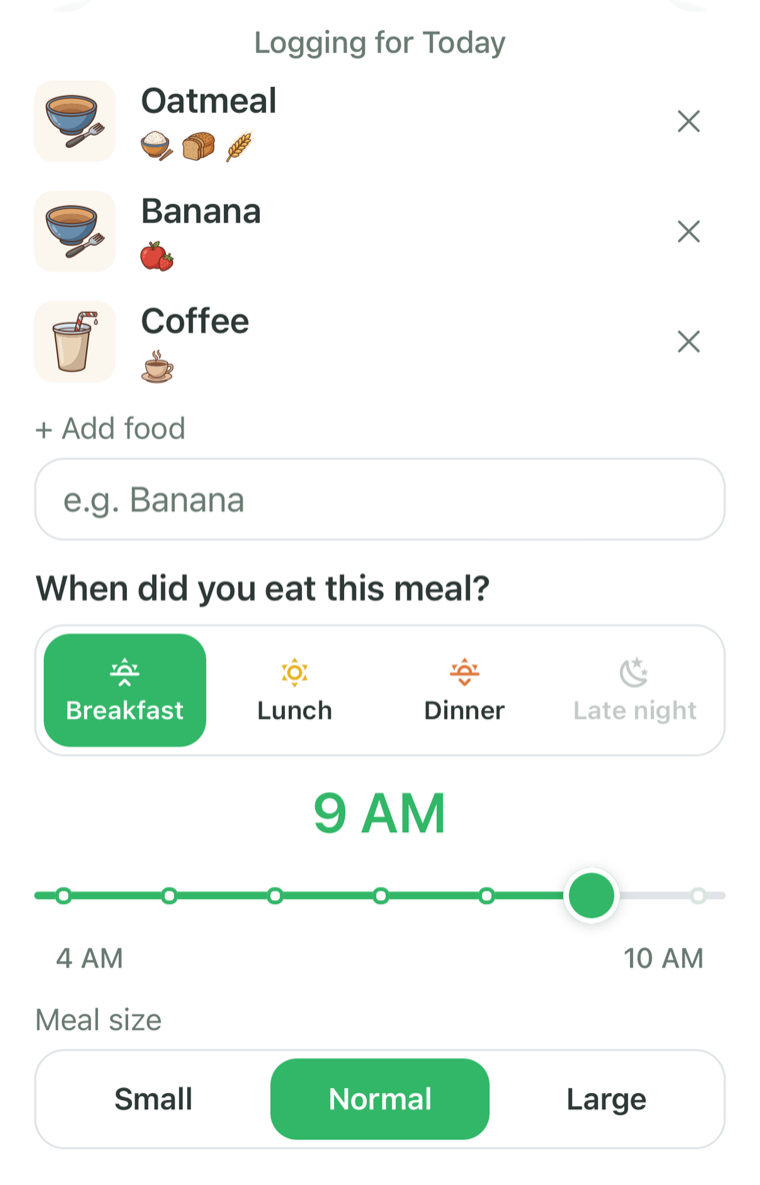
You type or say what you ate, the way you would describe it to a friend. BiteSense splits your description into individual foods, and you confirm the list before it is saved.
- Pick breakfast, lunch, dinner or late night, then set the hour
- Mark the meal size as small, normal or large
- Log again in one tap from your Recent and Saved meals
- Add or remove foods and traits on any meal
Why it helps
A diary only works if you keep it. Speaking or typing a meal in one sentence keeps logging quick enough to do every day.
Log symptom, free
How do you log a symptom?
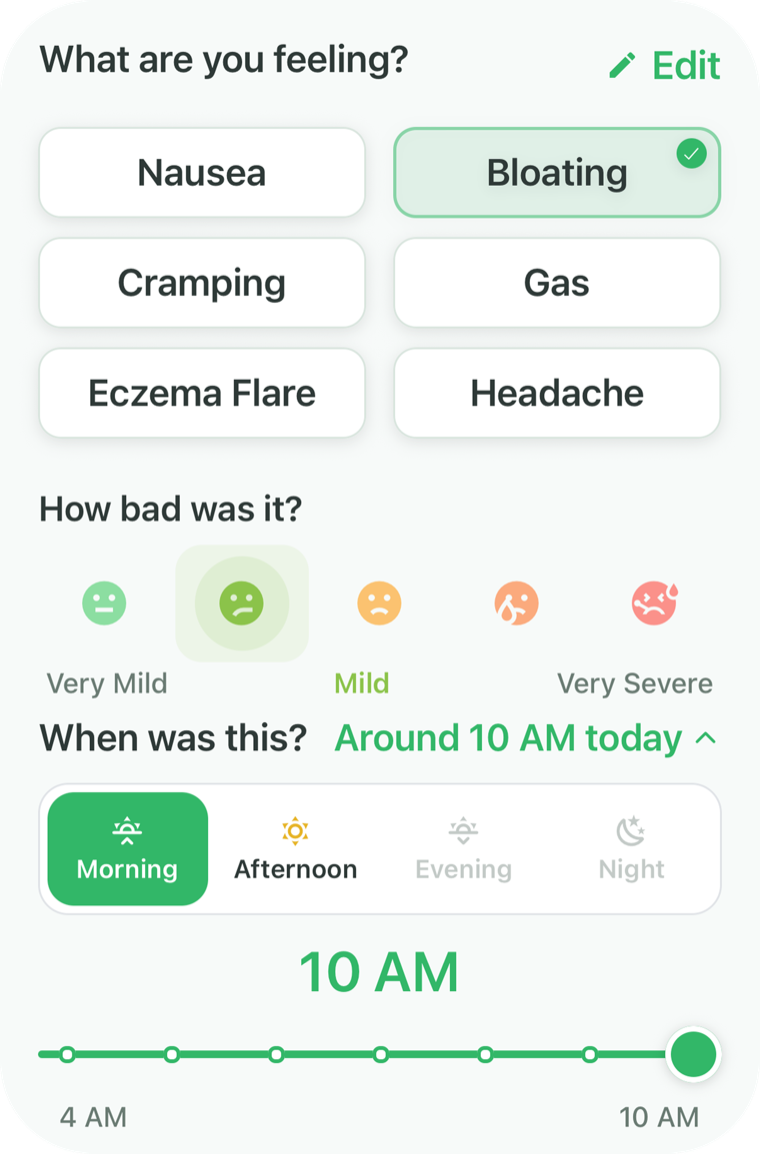
You choose what you are feeling, rate how strong it was on a five face scale from very mild to very severe, and set when it started.
- Symptoms are grouped by area: throat and heartburn, stomach, gut, head and energy, skin, breathing and whole body
- Your favorite symptoms appear first, and you can edit the list
- Link a symptom to a specific meal if you want to
Why it helps
Strength and timing matter as much as the symptom itself. Logging both gives BiteSense what it needs to compare symptoms against the meals that came before them.
Daily check-in, free
What is the daily check-in?
The daily check-in is one question, “How’s your body today?”, answered with one tap: not great, okay or great. If the answer is not great, BiteSense offers to log a symptom.
It takes a second, and over time it shows how your good and rough days are spread. Check-in totals also appear in your report.
How’s your body today?
Not great

Okay

Great
Water and sleep, free
How do water and sleep logging work?
You tap glasses to log water toward your daily goal, and you set last night’s bedtime and wake time on a dial. Both take a few seconds.
With Premium, Clues compares your symptoms against your own usual sleep and water, for example whether headaches show up more after short nights.
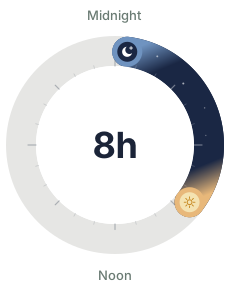
Bed
12:30 AM
Wake
8:30 AM
Water
32 oz

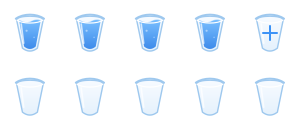
Goal: 80 oz
Sleep
Usually 8 h
Headache shows up more after short nights.
31 ingredients and traits
What are ingredients and traits in BiteSense?
They are the 31 tags BiteSense uses to describe what is in your food. Every food you log is matched to BiteSense’s reviewed food list and tagged, so a clue can point to a whole family, such as dairy, or to a single food, such as milk.

Dairy

Dairy alternative

Eggs

Gluten

Grains
Whole grain
Red meat
Poultry
Fish
Shellfish
Legumes

Soy

Nuts

Seeds

Vegetables

Broccoli & cabbage

Fruit

Nightshades

Garlic & onion

Chocolate

Caffeine

Alcohol

Sugar substitutes
Fried

Spicy

Fizzy

Acidic

Sugary

Rich & fatty

Salty

Fermented
You stay in control
Add or remove traits on any food you log. If a food is not on the list yet, it is saved as you typed it and you can tag it yourself.
Daily food group goals
Food groups such as fruit, veggies and grains fill in automatically as you log meals, and you can edit your goals.
Your known and suspected foods
List the foods you already know bother you and the ones you want watched. Suspects get their own section in Clues.
Premium features
What does BiteSense Premium add?
Premium adds Clues, elimination diet tools, the report, the Apple Health connection, higher logging limits, Premium accessories for Bear and premium app icons. Your logs stay yours on either plan.
Clues, Premium
What are Clues?
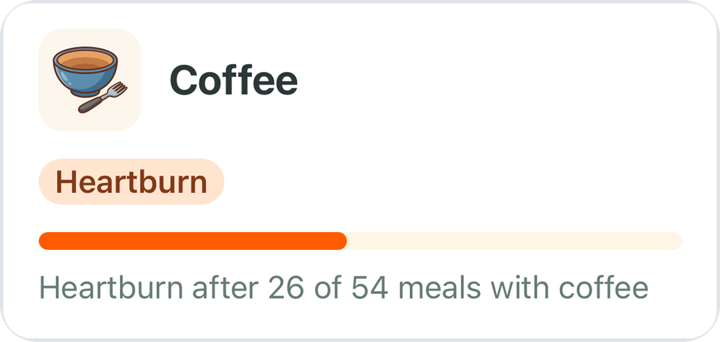
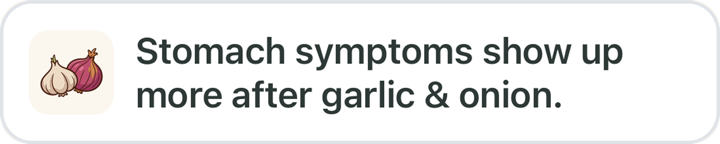
Clues are patterns found in your own logs. BiteSense compares when you ate certain foods and ingredients with when your symptoms showed up, then shows what stands out in plain words.
- Food clues. Foods your symptoms tend to follow, with the counts behind each one.
- Your suspects. What you thought might bother you, and what your logs show so far.
- No link so far. Foods eaten often with no symptom link yet.
- Sleep & water. How sleep and water line up with your symptoms.
Open a food clue to see how long after eating the symptom usually showed up, and the most recent meals behind it.
Clues are worked out by BiteSense’s own math, not by AI. If you log throat or breathing symptoms after eating, Clues also reminds you that these should be checked by a doctor.

Explore, Premium
What is Explore?
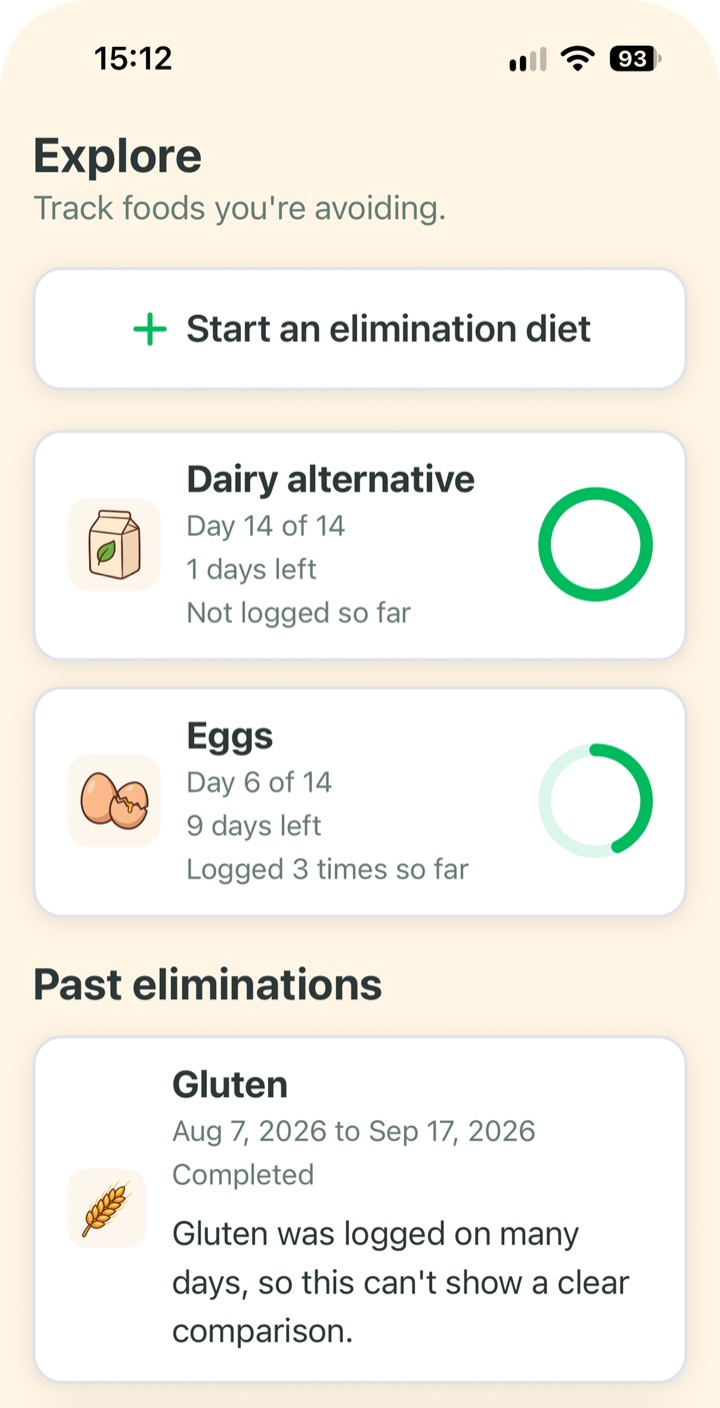
Explore is where you track an elimination diet. You pick an ingredient or a food to avoid, choose how long, and BiteSense keeps count of the days.
- Choose 2, 4, 6 or 8 weeks, or set a custom length from 14 to 180 days
- See the day you are on, days left and whether the food has shown up in your meal logs
- After two weeks, see how your logged symptoms compare with before you started
- Keep a history of past eliminations
Results are based on your own logs and are not medical advice. Read what an elimination diet is and how an app can help.
Apple Health, Premium
How does BiteSense use Apple Health?
BiteSense reads your sleep from Apple Health so you do not have to log it, and Clues compares it with your symptoms. You choose what it reads, and it never writes anything to Apple Health.
- Sleep. Hours asleep each night fill in on their own. With an Apple Watch, BiteSense also sees sleep stages and time awake, so Clues can check whether symptoms show up more after nights with more time awake than usual.
- Cycle, if you choose. Period days only, kept separate and only compared with your own symptom logs.
- Counts on the Trail. Sleep from Apple Health counts toward your daily sleep goal.
- Your control. Turn either one off, or disconnect and delete everything BiteSense saved from Apple Health, at any time.
Apple Health data is never used for ads or sold. The Privacy Policy has the details.
What BiteSense reads
Sleep
Hours, sleep stages and wake-ups each night
Cycle
Period days only. Kept separate, never used for anything else.
Read only. Nothing is written to Apple Health.
Report, Premium
What is in the BiteSense report?
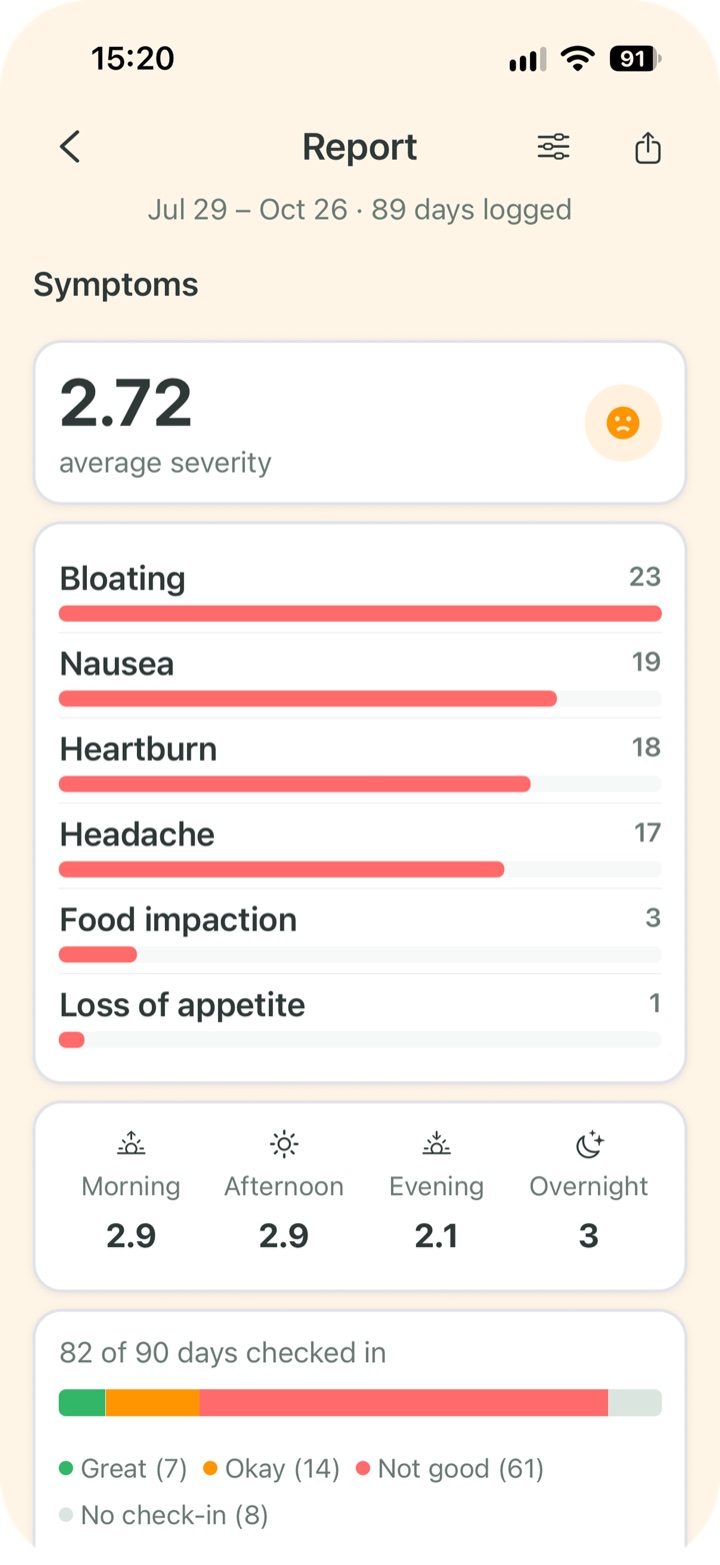
The report is a summary of your logs for 90 days, 6 months, 9 months or 12 months, which you can export as a PDF and share.
- Symptoms. Counts, average strength, time of day and check-in totals.
- Meals. Top foods and most logged ingredients.
- Sleep and water. What you logged across the period.
- Logging gaps. Days without logs, so the picture is honest.
- BiteSense insights. Your clues, suspects and elimination diets.
You choose which sections to include. The report shows observed patterns only.
Bear and the Trail, free
Who is Bear, and what is the Trail?
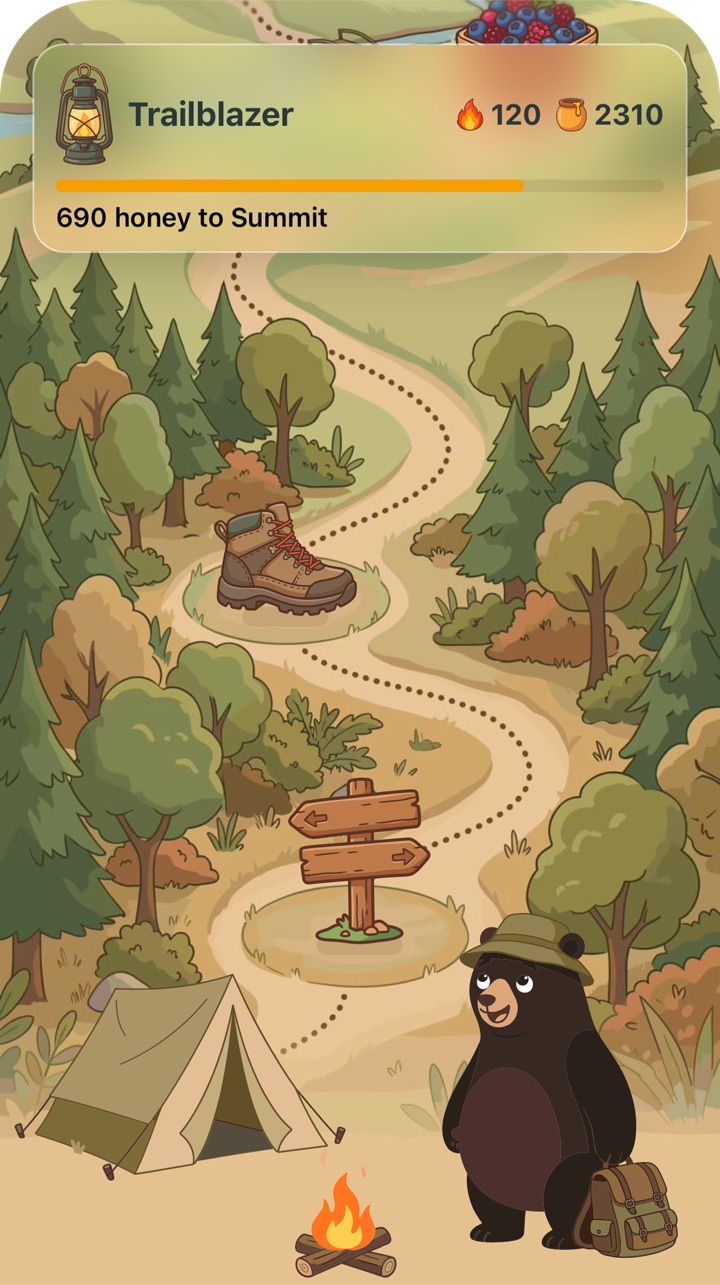
Bear is BiteSense’s mascot, and the Trail is where your logging progress lives. Logging earns honey, honey moves you up the Trail, and badges unlock as you go.
- Earn honey for logging a meal, doing your daily check-in, logging last night’s sleep, reaching your water goal and reaching a food group goal
- Build a streak with each day you log
- Collect badges for milestones such as meals logged and days checked in
Bear’s messages are written in advance by BiteSense. Bear is not AI and nothing Bear says is medical advice.
The six Trail levels
Trailhead
Wanderer

Berry Picker
Honey Hunter

Trailblazer

Summit
The eight badges
Bites

Full Plate

On a Roll

Checked In

Hydrated
Rested

Clues Ready
Shared
Bear’s closet
What can Bear wear?
Bear’s closet has 26 accessories: hats, glasses, scarves, pendants and watches. Each Trail level unlocks new ones, so there is always something to work toward, and four come with Premium. Bear wears your pick on Home and on the Trail. Open the closet from the tent at base camp.
| Unlocks at | Accessories |
|---|---|
| Trailhead | Cozy scarf, round glasses and a trail cap |
| Wanderer | Red bandana, trail medallion, ranger hat and aviator sunglasses |
| Berry Picker | Berry garland, straw sun hat and flower crown |
| Honey Hunter | Bee-stripe scarf, honey-pot pendant, beekeeper hat and honeycomb glasses |
| Trailblazer | Compass pendant, explorer hat, propeller cap, trail watch and trail shades |
| Summit | Summit star medal, summit crown and gold watch |
| Premium | Santa hat, party hat, wizard hat and chef’s hat |
Widgets, free
Are there BiteSense widgets?
Yes. The Streak widget keeps your daily streak in view on your Home Screen or Lock Screen, and the Check in widget lets you answer “How’s your body today?” with one tap. Bear changes with the time of day.
BiteSense in numbers
How much can BiteSense track?
BiteSense tags 31 ingredients and traits, lists more than 50 physical symptoms across 7 body areas, and builds reports covering 90 days to 12 months.
| What | How many |
|---|---|
| Ingredients and traits tagged on your food | 31 |
| Physical symptoms you can log | More than 50, in 7 body areas |
| Symptom strength levels | 5, from very mild to very severe |
| Times of day for a meal | 4: breakfast, lunch, dinner and late night |
| Meal sizes | 3: small, normal and large |
| Daily check-in answers | 3: not great, okay and great |
| Elimination diet length | 14 to 180 days |
| Report periods | 90 days, 6 months, 9 months or 12 months |
| Trail levels and badges | 6 levels and 8 badges |
| Accessories for Bear | 26: 22 unlocked on the Trail and 4 with Premium |
| Widgets | 2: Streak and Check in |
| Apple Health data BiteSense can read | 2: sleep and, if you choose, period days |
Free and Premium
What is free and what is Premium?
Logging, the daily check-in, Bear, the Trail and widgets are free. Premium adds Clues, elimination diet tools, the report, Apple Health, higher logging limits, Premium accessories for Bear and premium app icons. Current Premium details are shown on the App Store and in the app.
| What you get | Free | Premium |
|---|---|---|
| Meal logging by typing or speaking | Included | Higher limits |
| Symptom logging | Included | Included |
| Daily check-in | Included | Included |
| Water and sleep logging | Included | Included |
| Bear and the Trail (honey, levels and badges) | Included | Included |
| Clues: patterns found in your own logs | Not included | Included |
| Explore: elimination diet tools | Not included | Included |
| Report with PDF export | Not included | Included |
| Home Screen and Lock Screen widgets | Included | Included |
| Bear’s accessories unlocked on the Trail | Included | Included |
| Apple Health: sleep and period days | Not included | Included |
| Premium accessories for Bear | Not included | Included |
| Premium app icons | Not included | Included |
Feature questions
Can I log a meal by voice?
Yes. Tap the microphone and say what you ate. Apple’s speech recognition turns it into text, and BiteSense never receives the recording, only the text.
What happens if BiteSense does not recognize a food?
It is saved exactly as you typed it and marked as not recognized yet. You can add traits to it yourself.
Can I log for a day I missed?
Yes. You can pick an earlier day from the week strip on the Today screen and log meals, symptoms, sleep and water for it.
Does BiteSense write anything to Apple Health?
No. BiteSense only reads the sleep and, if you choose, period days you allow. It never writes anything to Apple Health.
What happens to Apple Health data if I stop Premium?
BiteSense stops reading Apple Health, and what it already saved stays until you disconnect or delete your account. Disconnecting deletes everything BiteSense saved from Apple Health.
Do I need Premium to keep my logs?
No. Your account and logs stay as they are on the free plan. Premium features lock if a subscription ends, and your logs are kept.